
Using task type for project planning in MS Project Pro
Contents:
- Tasks type in MS Project Pro
- Using the fixed units task type in MS Project Pro
- Using the fixed work task type in MS Project Pro
- Using the fixed duration task type in MS Project Pro
- Chat
Task types in MS Project Pro
MS Project has three task type:
- Fixed units - Resource assignment units are fixed. You must to set task units. When the task duration changes, the task work changes and vice versa.
- Fixed work - Task work is fixed. You must to set the task wok. When the task duration changes, the task units changes and vice versa.
- Fixed duration - Task duration is fixed. You must to set the task duration. When the task work changes, task units changes and vice versa.
MS Project Pro defaults to all tasks the task type as fixed units. You can change the task type for any non-summary task. Summary tasks are always of the fixed duration type.
First tool to set the task type in MS Project Pro:
- Open gantt chart view.
- Double click the task.
- Click the "Advanced" tub.
- Set fixed units in the "Task type:" field.
Second tool to set the task type in MS Project Pro:
- Open gantt chart view.
- Add the "Type" column.
- Set fixed units for tasks.
Using the fixed units task type in MS Project Pro
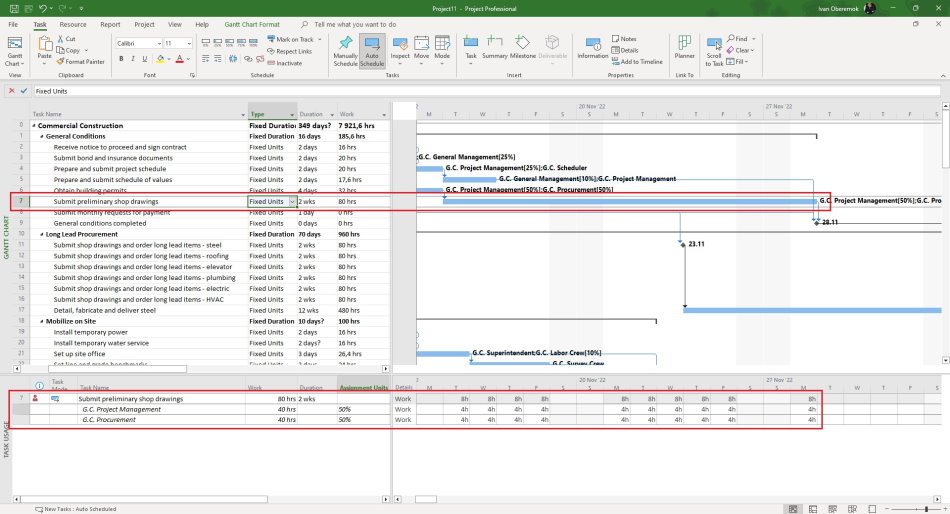
You have to use a fixed unit type when you have fixed resource assignments. You can not to change it. You can change the duration or the work.
Features of working with fixed units task type:
- You must use at least one resource of the work type.
- You have to set assignment units for this resource.
- Rescheduling is carried out with columns of duration or work
Using the fixed work task type in MS Project Pro
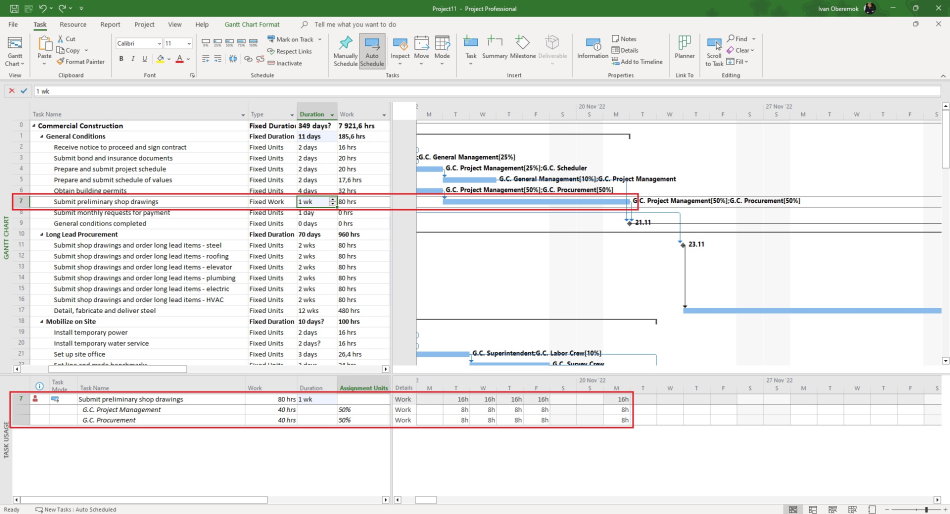
You should use a fixed work type when you have fixed task work and you cannot change it. You can change the duration or units.
Features of working with fixed work task type:
- You must use at least one resource of the work type.
- Rescheduling is carried out with columns of duration or units
Using the fixed duration task type in MS Project Pro
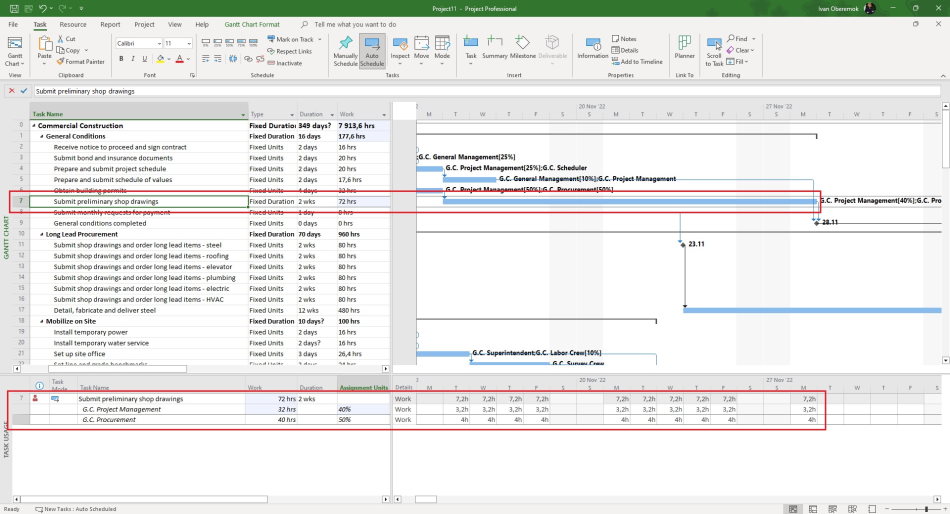
You should use a fixed duration type when you have fixed task duration and you cannot change it. You can change the work or units.
Features of working with fixed duration task type:
- You can use it when there are no resources assigned to the task.
- Rescheduling is carried out with columns of duration or units.
We recommend using this type at the beginning of project planning.

Author: Ivan Oberemok
