
Monitoring your tasks in MS Planner
Contents:
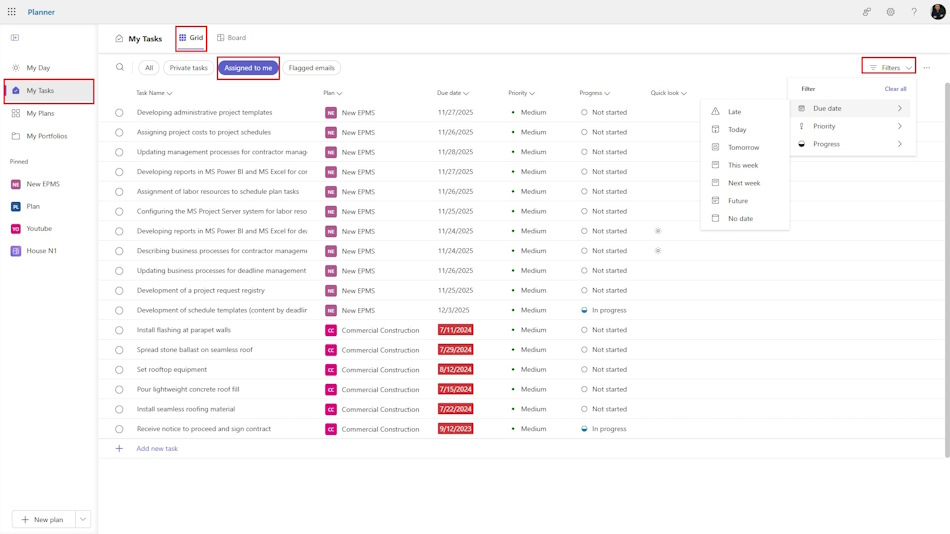
Your tasks on the grid in MS Planner
You can monitor your tasks for all projects by going to “My Tasks” in the left menu. You must be logged into MS Office with your username. To group tasks by progress, select “Progress” on the right side of the screen. In this view, all tasks from all projects are grouped into three statuses: “Not started,” “In progress,” and “Completed.” You can move tasks between groups by simply dragging the task to the next status with your mouse.
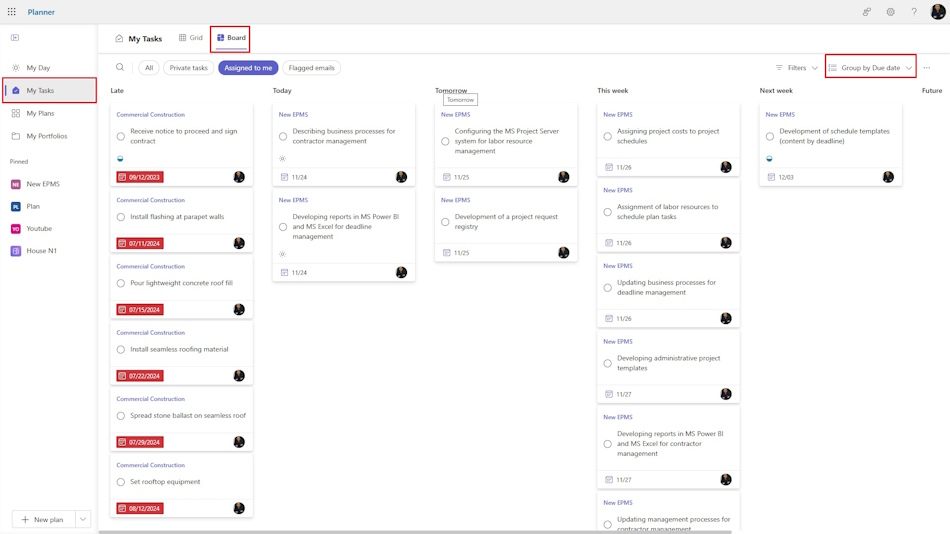
Your tasks on the board in MS Planner
To group tasks by project, select the “Plan” group in the upper right corner. Here you can also add a new task.
#projectmanagment, #projectscopemanagement, #monitoringandcontrollingprocess, #msplanner, #oberemokii


Author: Ivan Oberemok
