
Portfolio analysis with constraints in MS Project Server
Contents:
- Defining analysis properties in MS Project Server
- Refining the impact of projects on strategy drivers in MS Project Server
- Calculating project priorities in MS Project Server
- Strategy Cost Analysis in MS Project Server
- Chat
Defining analysis properties in MS Project Server
The purpose of project portfolio analysis is to select projects taking into account project parameter constraints.
To perform analysis taking into account constraints, you need to add corporate fields:
- Go to server settings by clicking on the “Server settings” menu item.
- In the “Enterprise Data” section, click to “Enterprise Custom Fields and Lookup Tables”
- Create a corporate field for the “Project” object of the ‘Cost’ or “Number” type.
- You can enter the field value manually or add a formula. To add a formula, select “Formula” in the “Custom Attributes” block.
- Enter values in the fields or update the project to add data.
To configure parameter properties:
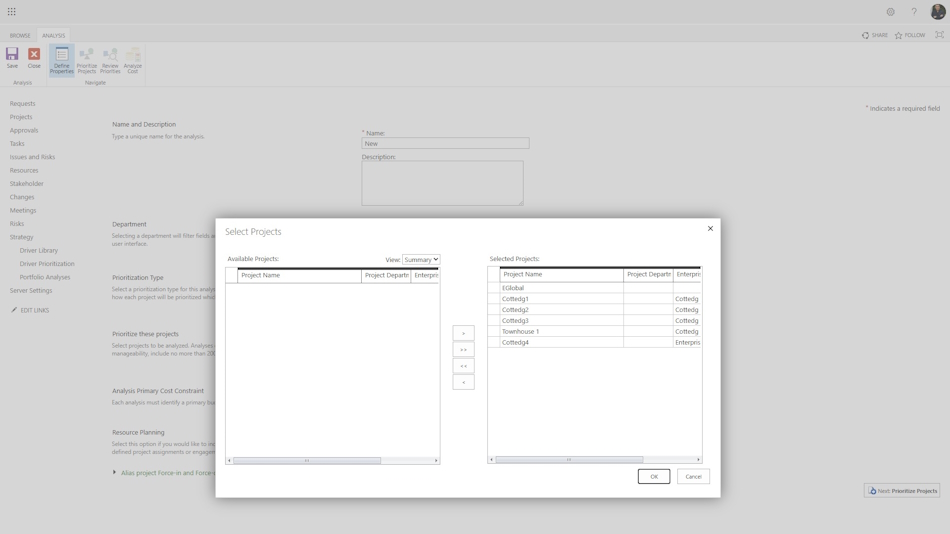
- Go to the “Strategy” menu item in the “Portfolio Analyses” section.
- Click the "New" button in the top menu,
- In the “Name” field, specify the name of the analysis. In the “Description” field, specify the description of the analysis.
- In the “Department” field, you can specify the departments for which the analysis is being performed.
- In the “Priority Determination Type” block, specify the priority calculation method. You can set priorities manually or calculate them based on a set of factor priorities.
- In the “Project Priority Definition” block, select the list of projects for analysis.
- In the “Basic Cost Constraints for Analysis” block, select the corporate field in which the constraints are specified.
- To proceed to the next step, click the “Next” button.
Refining the impact of projects on strategy drivers in MS Project Server
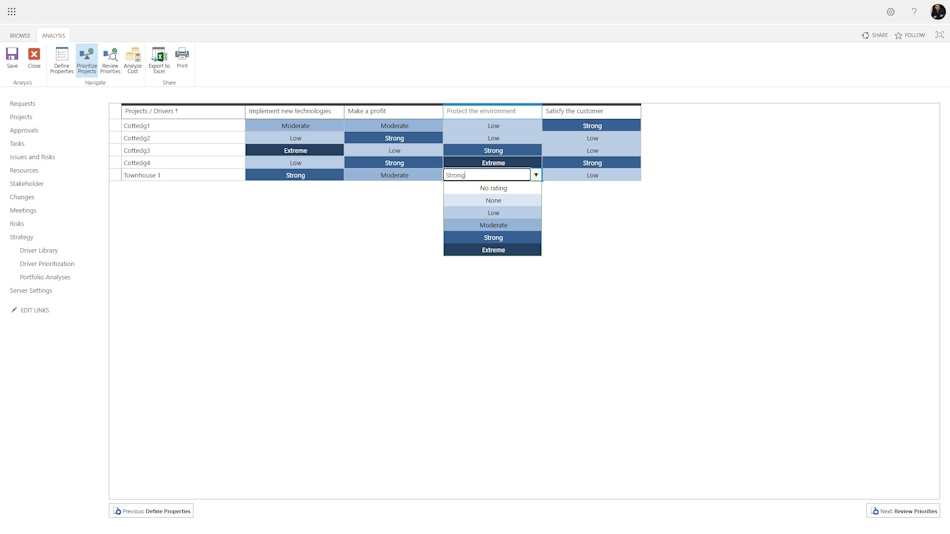
The next step in the analysis is to clarify the impact of projects on strategy factors. If the project team has established the impact on strategy factors, the impact values are transferred.
In this window, you can clarify the level of impact of projects on strategy factors.
Calculating project priorities in MS Project Server
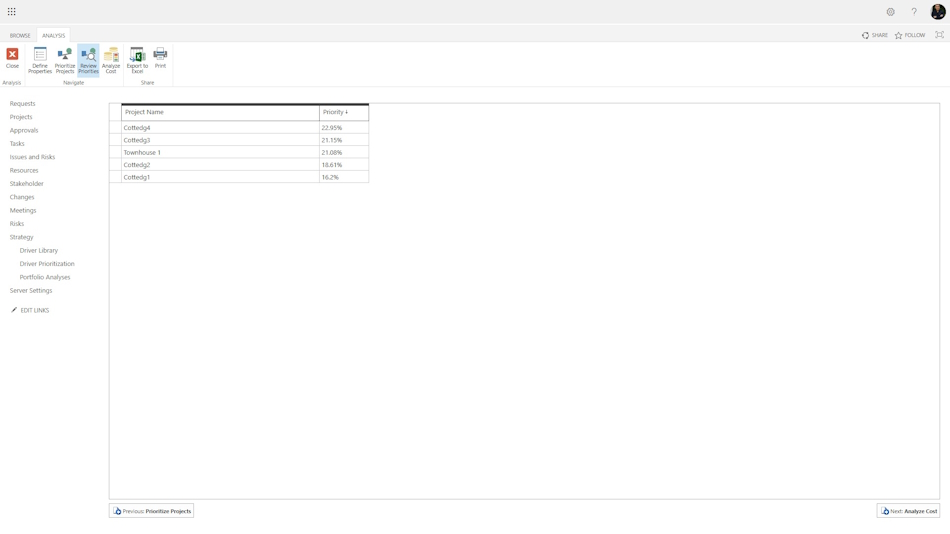
On the “Priority Overview” page, the system calculates the priorities of the selected projects. Project priorities are calculated based on the values of factors and factor priorities determined by stakeholders.
Strategy Cost Analysis in MS Project Server
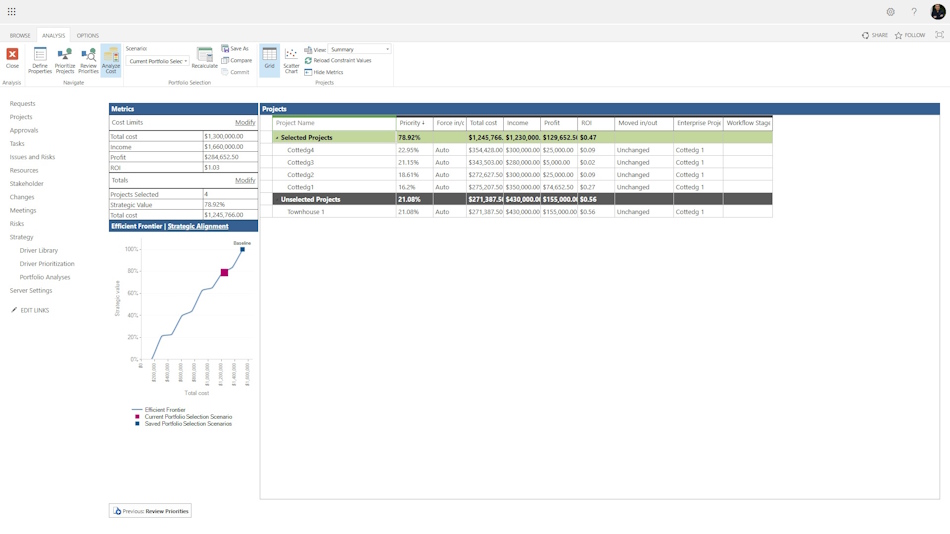
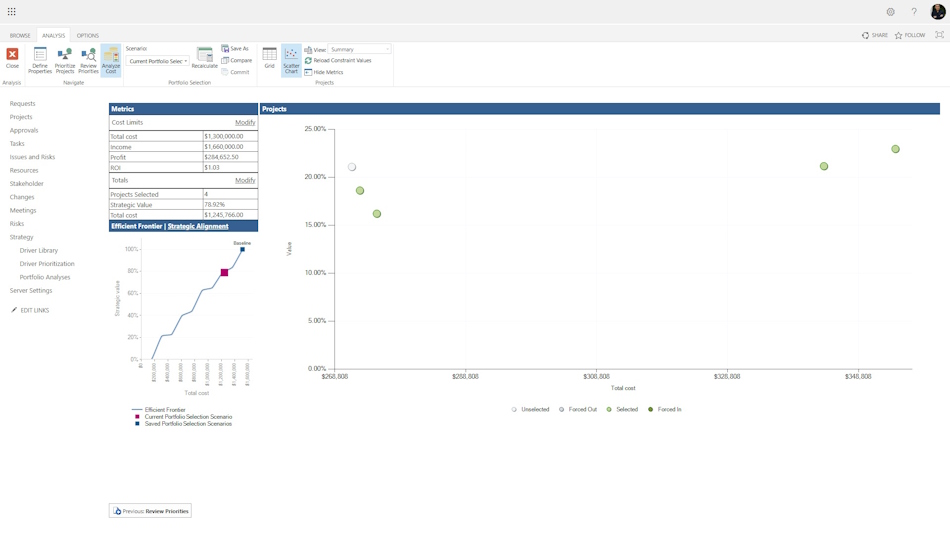
On the cost analysis page, you can select a project portfolio by imposing restrictions on costs and other parameters of the portfolio projects.
To impose restrictions, enter the estimated cost in the “Total costs” field, then click the ‘Recalculate’ button in the “Analysis” menu. The system will select projects for you and display them on the right side of the screen. The selection takes into account not only costs but also the dependencies you have set between projects.
You can view information about the selected projects by clicking on the “Scatter Plot” button. You will receive an analysis of project costs relative to the degree of achievement of strategic factors.
You can display additional columns on the right side by clicking on the “Change” button in the “Cost Limits” field. You can also add restrictions to these columns.
General information about the portfolio can also be found in the “Total” block. By clicking on the “Change” button, you can add other numeric fields.

Author: Ivan Oberemok
