
Strategy Driver Library in MS Project Server
Contents:
- Description of strategy drivers in MS Project Server
- Configuring the display of project strategy drivers in MS Project Server
- Setting project strategy drivers MS Project Server
- Chat
Description of strategy drivers in MS Project Server
After creating projects in Microsoft Project Server, we can analyze the project portfolio for compliance with the organization's strategy.
First, let's define the strategy drivers for this:
- Go to the “Strategy” menu item in the “Driver Library” section.
- Create drivers by clicking on the “New” button in the top menu.
- When describing a driver, specify the name of the driver and its degree of influence at different levels of influence.
- To delete a driver, select it and click the “Delete” button.
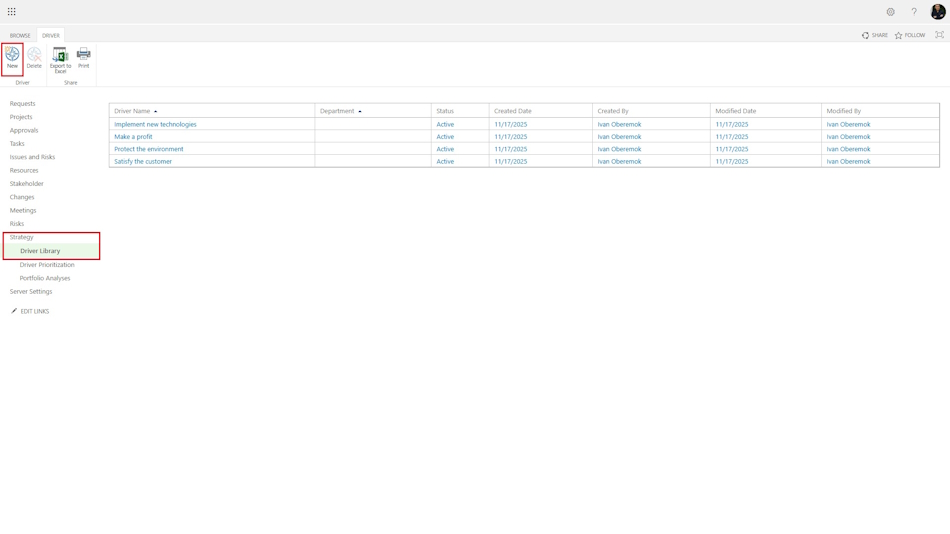
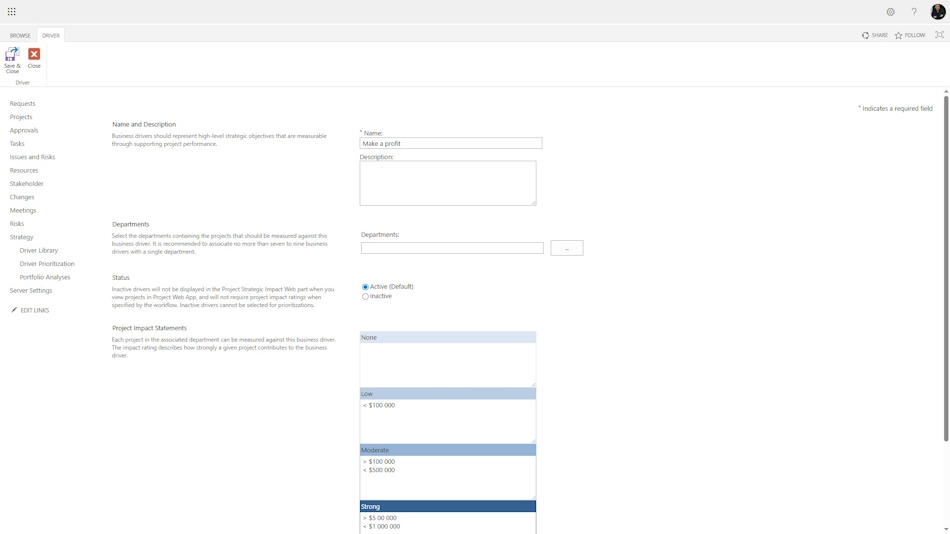
When adding and editing drivers, you must enter the following data:
- Enter the name of the drivers in the “Name” field.
- You can describe the drivers in the “Description:” field.
- In the “Project Impact Statements” block, you can describe the level of impact of the project on the driver. The impact rating describes how strongly a given project contributes to the business driver.
Configuring the display of project strategy drivers in MS Project Server
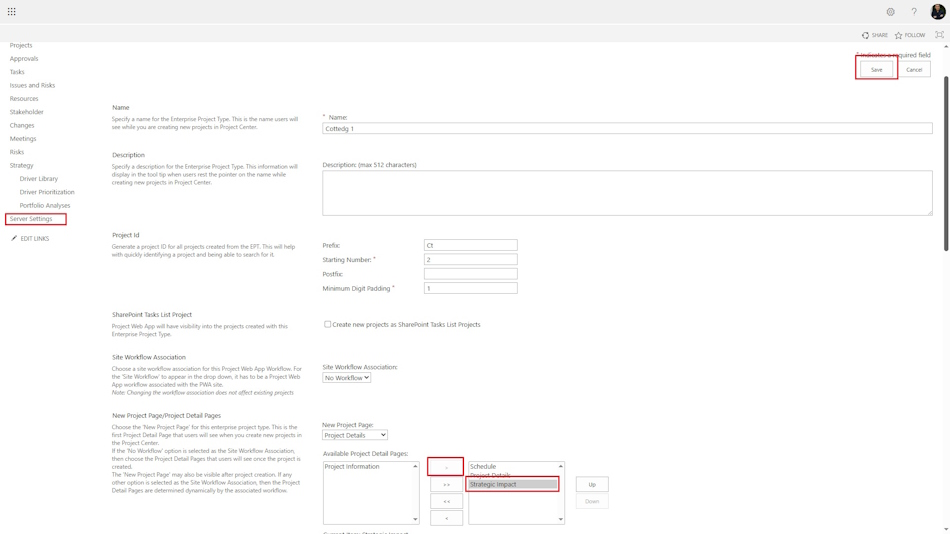
To edit factors, you must grant access to the strategic drivers view. Access is specified separately for each project type.
- Click the “Server Settings” item in the left menu.
- Click the “Enterprise Project Types” link in the “Workflow and Project Detail Pages” block.
- Make the following settings for all project types
- In the “New Project Page:” field, set the view to “Strategic Impact”.
Setting project strategy drivers MS Project Server
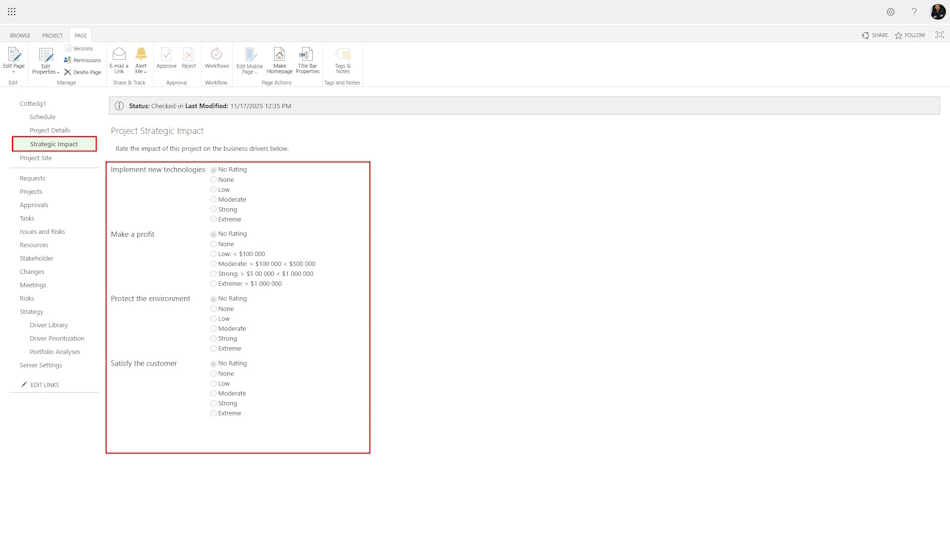
To set the degree of impact of the project on strategic drivers, you need to:
- Go to the project and switch to the “Strategic Impact” view.
- In the “Project” menu, click the “Change” button.
- Set the degree of impact of the project on each driver.
- After setting the impact of each driver, save and close the project by clicking the buttons in the “Project” menu.
#projectportfoliomanagement, #projectintegrationmanagement, #initiatingprocess, #msprojectserver, #oberemokii

Author: Ivan Oberemok
