
Stakeholder register in MS Excel
Contents:
- Using the "Stakeholder register" document in MS Excel
- Stakeholder matrix in MS Excel
- Stakeholder analysis in MS Excel
- Setting up the "Stakeholder Register" document in MS Excel
- Chat
Using the "Stakeholder register" document in MS Excel
The document "Stakeholder register" in MS Excel allows you to quickly and conveniently collect information about stakeholders and analyze them. The project manager, together with the project team, collects information about project stakeholders.
- The project administrator enters information about stakeholders into the register.
- The project manager, together with the project team, analyzes the level of influence and interest of stakeholders in participating in the project.
- The project manager makes organizational conclusions to increase the level of interest of influential stakeholders.

Stakeholder matrix in MS Excel
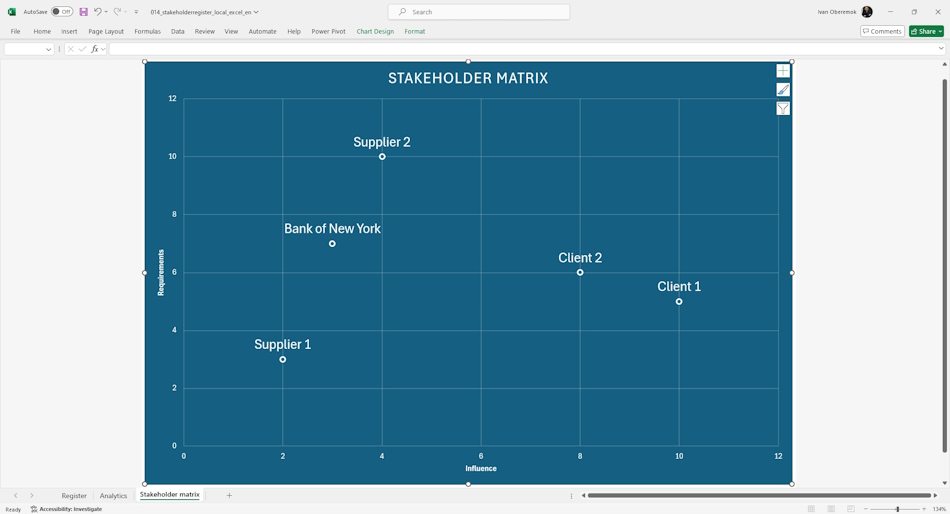
All stakeholders in the upper left corner require special attention from the project team. Stakeholders in the lower right corner require minimal attention.
Stakeholder analysis in MS Excel
The report uses filters:
- Roles. The "Roles" filter allows you to select stakeholders based on their influence on the project. The document uses four roles:
- "Investor" - the investor invests money in the project in order to receive money as a project product,
- "Client" - the client invests money in the project in order to receive the project product and use it,
- "Contractors" - contractors perform work on the project in order to receive money,
- "Suppliers" - suppliers send material resources to the project in order to receive money.
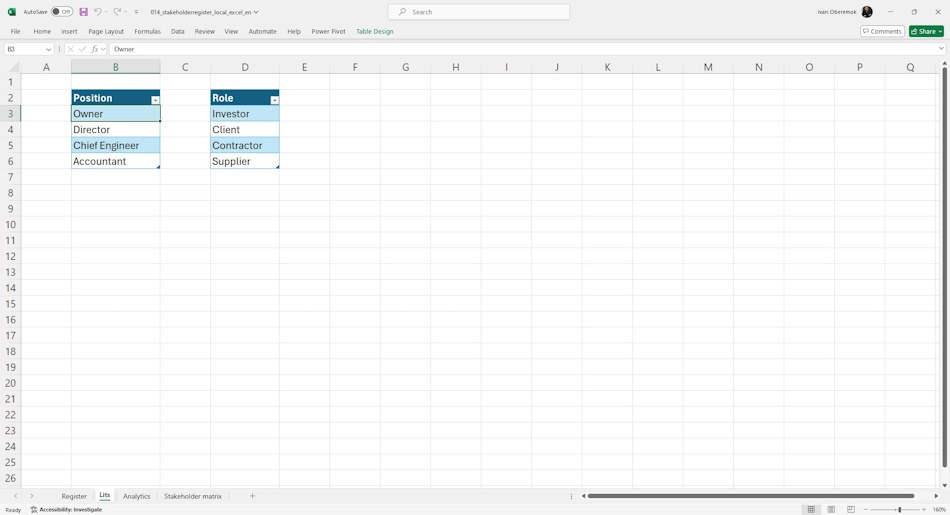
- Position. The "Position" filter allows you to select stakeholders based on their positions in the organization. The document uses four roles:
- "Owner" - the owner of the company,
- "Director" - the director of the company,
- "Chief Engineer" - the chief engineer,
- "Financial Director" - the financial director of the company.

Setting up the "Stakeholder Register" document in MS Excel
Register or log in to the site:
- Make a payment.
- Download the report file.
When working with the registry, reference books of the main registry fields are used. They allow for convenient filling and avoidance of errors and inaccuracies when filling in.
The following reference books are used in the registry:
- Roles - a reference book of the list of roles in the project.
- Positions - a reference book of the list of positions in the company.
#projectmanagment, #projectstakeholdermanagement, #initiatingprocess, #msexcel, #oberemokii, #documents
Documents
Documant title: Stakeholder register in MS Excel
Price: € 10 / 520 UAH
Description: The document "Stakeholder Register" in MS Excel allows you to quickly and conveniently collect information about stakeholders and analyze it.
- Send email: info@pmhub.pro
- Write to Telegram: +38 (097) 906-95-62. Send request
- Write on Whatsapp: +38 (097) 906-95-62. Send request
- Write on Viber: +38 (097) 906-95-62. Send request
- Call the phone: +38 (097) 906-95-62

Author: Ivan Oberemok
