
Operational project schedule in MS Project Pro
Contents:
- Create an operational project schedule in MS Project Pro
- Calendar plan in MS Project Pro
- Rules for scheduling tasks of the operational schedule of the project
- Chat
Create an operational project schedule in MS Project Pro
The operational plan of the project is the lowest level plan. The operational plan describes the tasks of specific performers in the current implementation period. It is being developed for the current or future implementation period. Tasks of the operational plan fall into the project calendar.
The duration of the tasks of the operational plan does not exceed the duration of the implementation period. The tasks of the operational plan are prioritized. Priorities are used to resolve resource conflicts and schedule tasks.
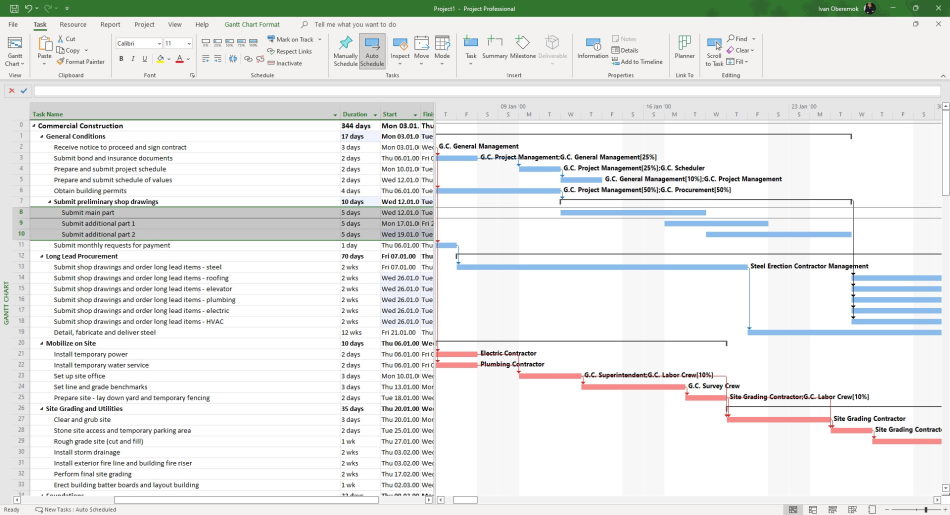
Steps to create operative plan in MS Project:
- Click on "View" in the top menu.
- Open the filter list and select the "Date range..." filter.
- Set the start date and end date of the current implementation period.
- Decompose tasks that fall into the current implementation period.
Calendar plan in MS Project Pro
The project calendar contains a list of current project tasks. The duration of current tasks should be no more than a week. The project manager must accept the results of the current schedule tasks at the end of the week.
Each task must have an executor and the necessary resources. If the task is not completed, it should be moved to the next week. All tasks of the past periods must be completed.
In MS Project, the schedule is created automatically when the project tasks are decomposed.
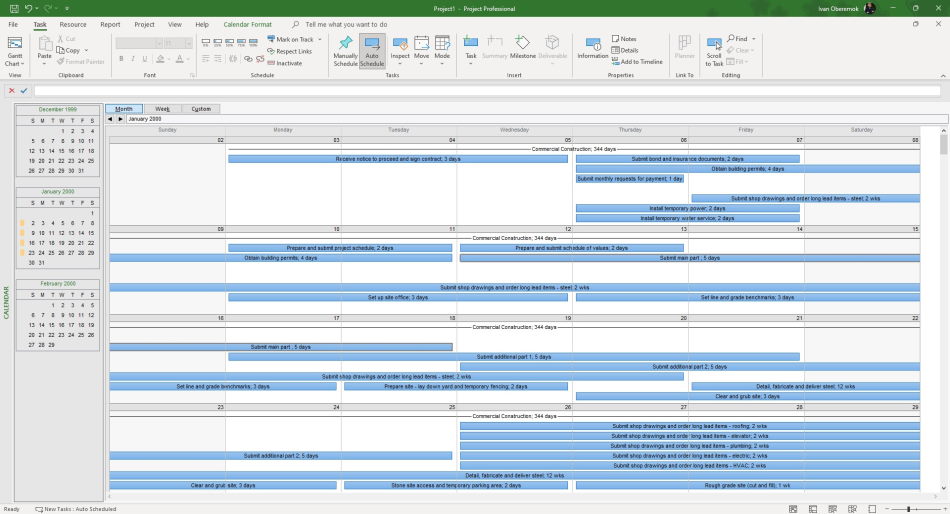
Steps to show the calendar plan:
- Click the button "Grantt Chart" in the top menu in the item "Task".
- Choose the item "Calendar".
- Select the period to display by clicking on the "Month", "Week" or "Calendar" buttons.
- Click the item "Calendar Format" on the top menu.
- To hide the project summary task, clear the "Project Summary Task" check box.
- Select a date and click on the "Task list" button. You can see the list of tasks on this date.
- Scroll the mouse to see another time period.
Rules for scheduling tasks of the operational schedule of the project
- Decompose only the works closest to the current date, preferably for the next two weeks. This will reduce the time for planning and rescheduling, and will facilitate the resolution of resource conflicts.
- The name of the tasks and activities of the project must begin with a verb.
- The verb in the title of the work must be in the completed form "Make", "Agree", "Develop". (To agree on the charter
- project, Develop a project management plan)
- The duration of operational level tasks can be from one day to five days.
- Operational level tasks may not have links.
- Tasks of the operational level may have restrictions on the start date.
- Create one task for each type of performer.

Author: Ivan Oberemok
