
Creating a sharepoint tasks list in MS Project Server
Contents:
- Creating a sharepoint tasks list in MS Project Server
- Describing an enterprise project in MS Project Server
- Chat
Creating a sharepoint tasks list in MS Project Server
Sharepoint tasks list is a project of creations in the SharePoint format.
Steps to create a sharepoint tasks list in MS Project Server:
- Click the "Projects" item in the left menu.
- Click the "PROJECTS" item in the top menu.
- Click the "New" button in the "Project" block.
- Select the "SharePoint Tasks List" item.

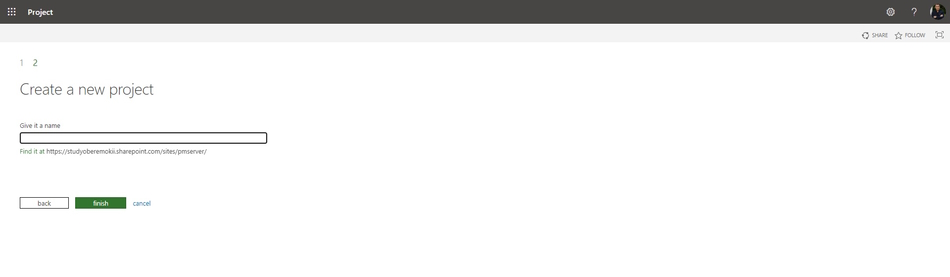
Steps to describe when creating a sharepoint tasks list in MS Project Server:
- Enter the project name in the "Give it a name" field.
- Click the "Finish" button.
Describing a sharepoint tasks list in MS Project Server
Steps to describe a sharepoint tasks list in MS Project Server:
- Click the "Projects" item in the left menu.
- Click the project name in the "Project Name" column.
- Click the "Project Details" item in the left menu.
- Click the "PROJECTS" item in the top menu.
- Click the "Edit" button in the top menu.
- Edit project details in the appropriate fields.
- After editing click the "Save" button in the top menu.
- If you want to stop editing, click the "Close" button in the top menu.

#msprojectserver, #oberemokii, #projectmanagment, #projectintegrationmanagement, #initiatingprocess, #mssharepoint

Author: Ivan Oberemok
