
Creating an enterprise project in MS Project Server
Contents:
- Creating an enterprise project in MS Project Server
- Describing an enterprise project in MS Project Server
- Chat
Creating an enterprise project in MS Project Server
Enterprise project is a project of creations in the MS Project Pro format. You can use app MS Project Pro for open and edit projects this type.
Steps to create an enterprise project in MS Project Server:
- Click the "Projects" item in the left menu.
- Click the "PROJECTS" item in the top menu.
- Click the "New" button in the "Project" block.
- Select the "Enterprise Project" item.
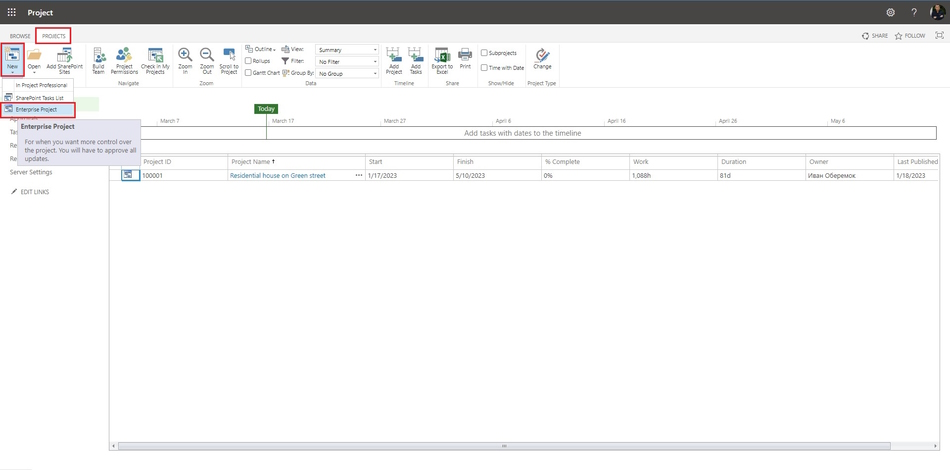
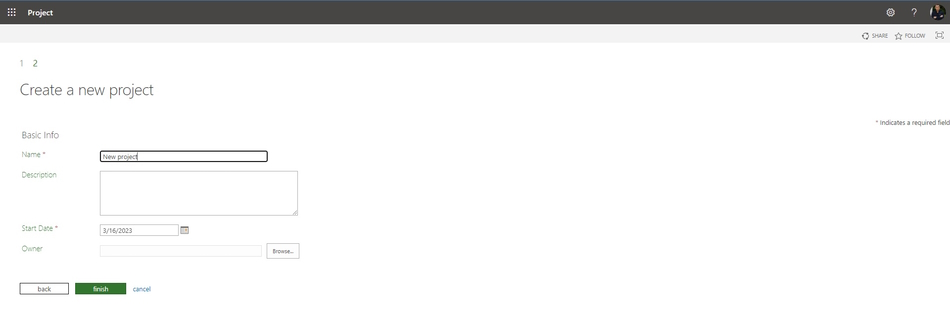
Steps to describe when creating an enterprise project in MS Project Server:
- Enter the project name in the "Name" field.
- Enter the project describe in the "Description" block.
- Select the project start date in the "Start Date" field.
- Enter the project manager name in the "Owner" field.
- Click the "Finish" button.
Describing an enterprise project in MS Project Server
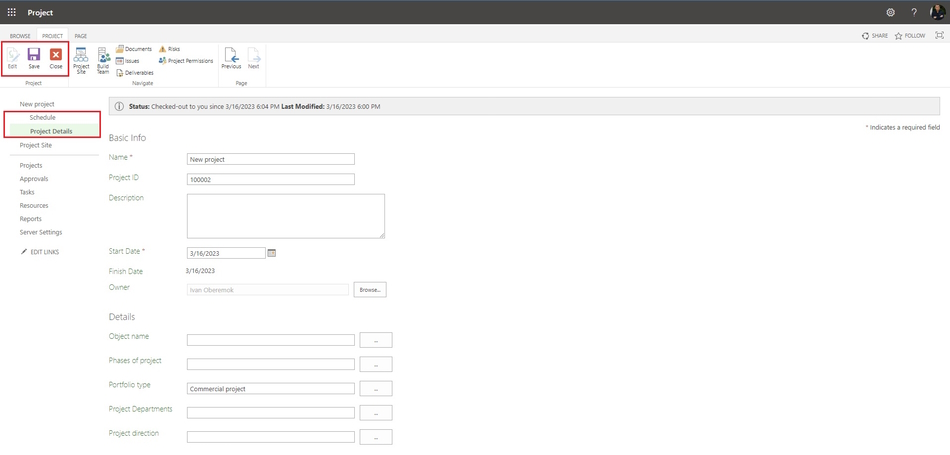
Steps to describe an enterprise project in MS Project Server:
- Click the "Projects" item in the left menu.
- Click the project name in the "Project Name" column.
- Click the "Project Details" item in the left menu.
- Click the "PROJECTS" item in the top menu.
- Click the "Edit" button in the top menu.
- Edit project details in the appropriate fields.
- After editing click the "Save" button in the top menu.
- If you want to stop editing, click the "Close" button in the top menu.
#msprojectserver, #oberemokii, #projectmanagment, #projectintegrationmanagement, #initiatingprocess

Author: Ivan Oberemok
