
Add the budget work resource in MS Project Pro
Contents:
Create budget work resources in MS Project Pro
Budget work resource allows you to set a limit on the number of hours of work resources. You can define the budgeted work resource for each company taking part in the work resources in the project.
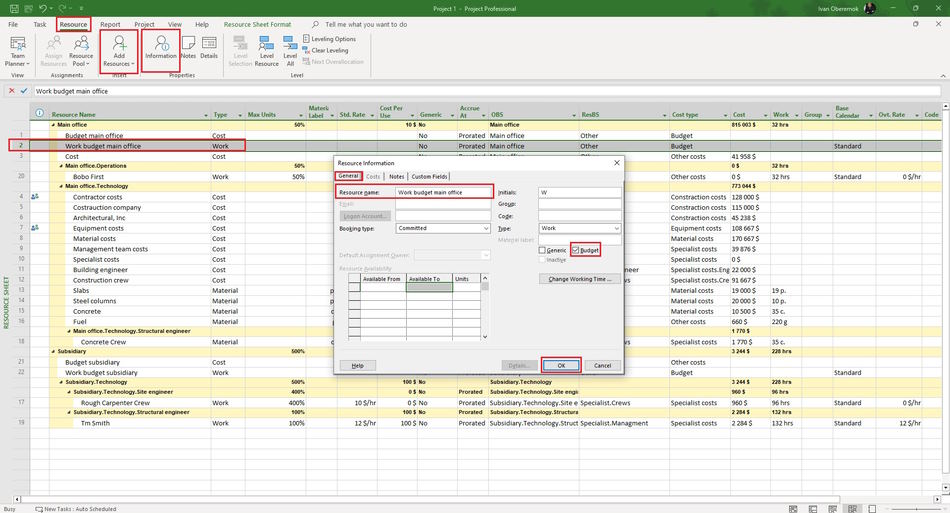
Steps to creat budget work resources in the Project:
- Click the button "Grantt Chart" in the top menu in the item "Task".
- Choose the item "Resource Sheet".
- Enter the name resource in the field "Resource Name".
- Set the "Work" value in the "Type" field.
- Set the "Budget" value in the in the field "Group".
- Set the "Yes" value in the in the field "Budget".
Steps to add note of the budget cost resource in MS Prokect Pro:
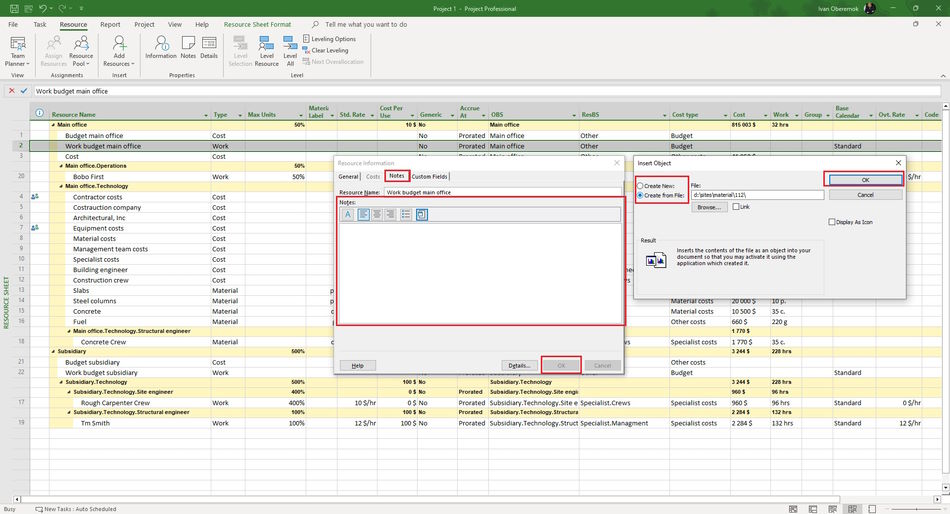
- Click the "Notes" tub.
- In the Notes text box, enter your note text. It is possible to format the entered text by clicking on the appropriate buttons "Format Font", "Align left", "Align center", "Align right", "Bulleted list".
- In the "Resource Infromation" window, on the "Notes" tab, click the "Insert Object" button. You can add a description of the specialist or a link to a file with a description.
- In the "Insert object" window, click the "Create from file" button. Enter the full name of the file (including the path) you want to attach to the resource, or click the Browse button and browse for your file.
- To add an object to a project file, select the "Link" check box. Keep only references to this object.
- To display the object as an icon, select the "Display As Icon" checkbox:
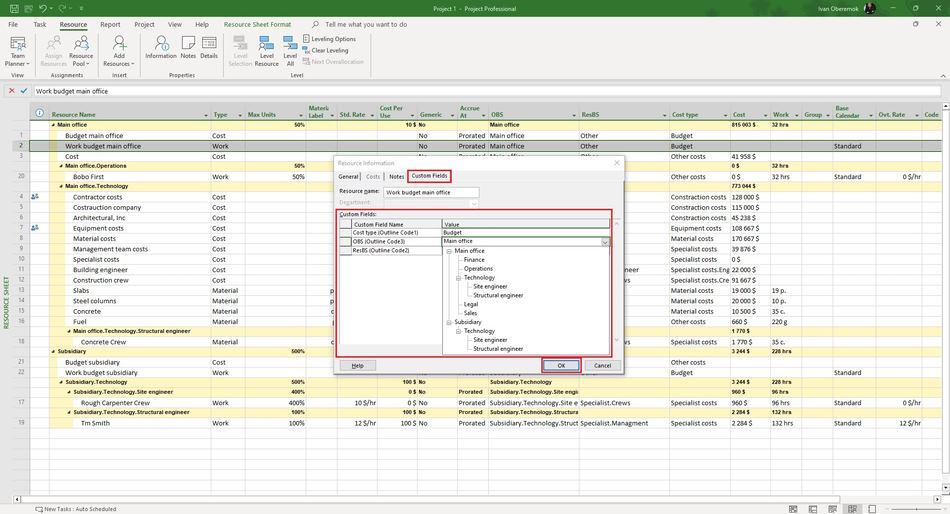
- Click the "Custom Fields" tub in the "Resource Information" window.
- Enter values in the custom column.
- Click the "Ok" button.
#msprojectpro, #oberemokii, #projectmanagment, #projectresourcemanagement, #initiatingprocess

Author: Ivan Oberemok
